


You rely on the official site to check crypto prices, leading beginners to ask: is coinmarketcap a scam? According to cybersecurity experts, the genuine platform is safe, but its popularity makes it a target for digital traps. Imagine walking into your bank, but every teller is actually a thief in disguise. That is exactly what happens on a CoinMarketcap.com Scam site.
Assuming top Google search results are automatically secure can cost you dearly. Industry data reveals scammers purchase fake advertisements to build perfect “mirror” websites designed to steal your passwords. Before wondering if a random link makes coinmarketcap legit or scam, you must build the habit of double-checking the web address. Your best defense is verifying your entry point. Read a complete CoinMarketcap.com review to know more.
Spotting the ‘One-Letter Trick’ in Your Browser Address Bar
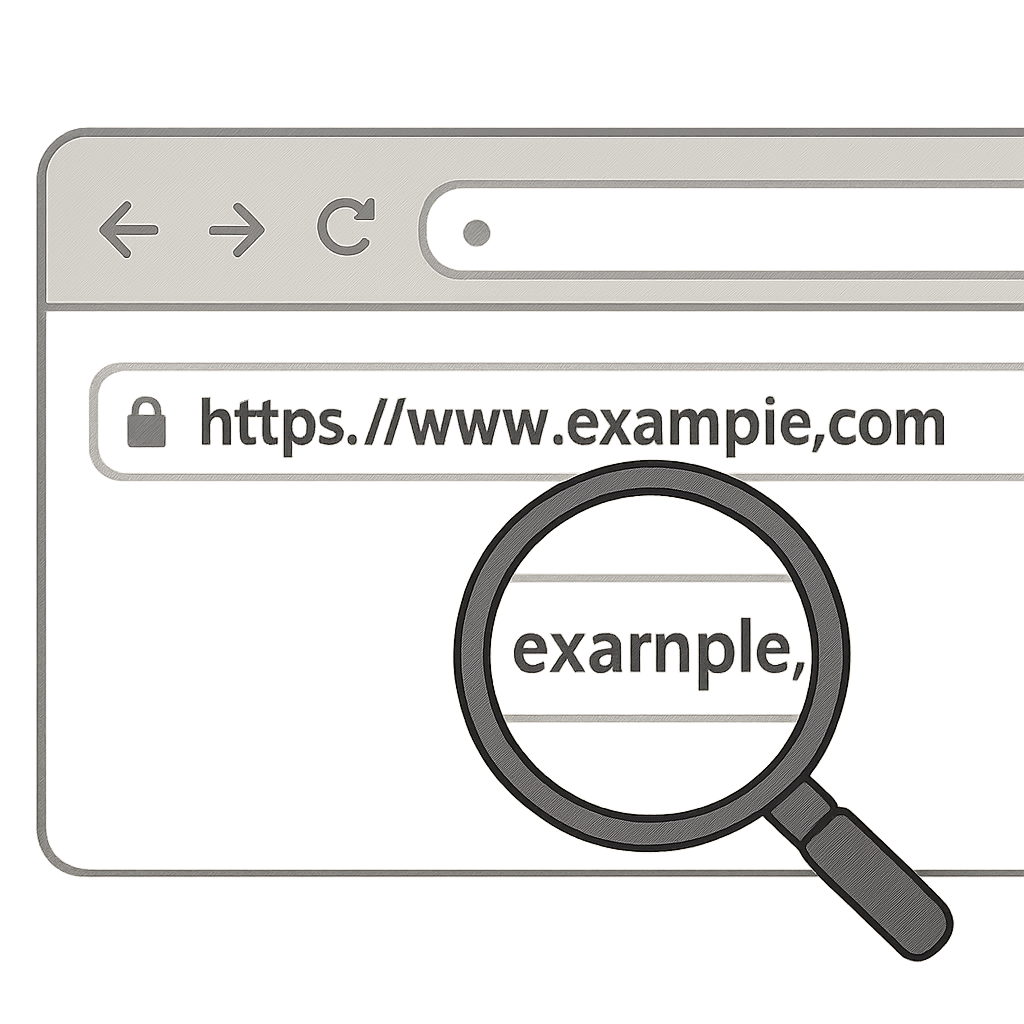
Scammers build “mirror domains”—fake sites acting as digital traps that look identical to the real thing. To lure you in, they use URL spoofing, often called the “One-Letter Trick.” While you might expect to see coinmarketcap.com, a quick glance at the top of your screen reveals coin-market-caap.com. Catching these subtle typos is your best tool for identifying fake CoinMarketCap websites.
To navigate around official site vs mirror domain risks, always run this quick scan before clicking anything:
- Check the exact spelling for missing or added letters.
- Check the domain suffix (trust only .com, never .org or .net).
- Check for the closed padlock icon.
The absolute safest defense is the “Bookmark Strategy.” Save the verified web address to your browser once, and only use that trusted link moving forward. Relying on search engines instead leaves you dangerously exposed, particularly when scammers purchase prime real estate at the very top of your results.
Why the Top Google Result Might Be a Trap: Avoiding Sponsored Phishing Ads
Most people assume the first Google result is the safest. Unfortunately, this blind trust often leads straight into a typical CoinMarketCap scam. Scammers literally buy their way to the top of your screen using paid advertisements. Because search engines do not pre-vet these ads for financial safety, a dangerous digital trap frequently sits right above the genuine, organic search results.
Spotting the difference between an honest link and a paid interception takes only a second. You should adopt a strict “Skip the Ads” rule for all financial websites, watching specifically for these three warning signs of a ‘Bad Ad’:
- The ‘Sponsored’ tag: This is your primary warning, usually bolded next to paid search results.
- Weird characters in the display URL: Look closely for subtle misspellings, dashes, or odd symbols.
- Promise of ‘Login to get free rewards’: Genuine price-checking websites do not offer free money just for clicking a link.
Scrolling past these sponsored traps to the organic results below drastically reduces your risk of being hacked. Recognizing malicious browser extensions for crypto remains crucial once you actually load the page. Beyond fake search results, scammers also target your master passwords and seed phrases.
Protecting Your ‘Master Password’: Why CoinMarketCap Will Never Ask for Your Seed Phrase
Understanding CoinMarketCap’s true purpose is your first line of defense. It is strictly a price-tracking website—much like reading a newspaper’s financial section—not a bank or trading platform. Because it only displays public data, the site has absolutely zero need to access your money. Your “Seed Phrase” is the unique sequence of words acting as your ultimate master password or house keys. Protecting a crypto wallet from phishing links means fiercely guarding these keys.
Scammers rely on psychological social engineering tricks because they cannot hack the system directly. For instance, you might receive a friendly direct message on Twitter or Telegram from “CoinMarketCap Support” offering to recover lost funds. These are always imposters trying to manipulate you. Always follow these rules:
- Never type a seed phrase into a website.
- Never give it to ‘Support’.
- Never take a photo of it.
Knowing how to report fraudulent crypto projects helps shut these fake agents down quickly. However, directly asking for your master password isn’t the only way thieves operate. Malicious browser extensions and fake airdrops pose an equal threat.

The ‘Connect Wallet’ Trap: Recognizing Malicious Browser Extensions and Airdrop Scams
Everyone loves free money, which is why scammers use it as their ultimate bait. Spotting fake crypto airdrop advertisements is a crucial survival skill, as thieves frequently impersonate trusted platforms by promising sudden token giveaways. When you click these deceptive links, you land on a cloned website that looks identical to the real CoinMarketCap. The counterfeit page will immediately urge you to connect your browser extension to claim your prize.
Clicking the “Connect Wallet” button on these fraudulent pages is exactly like giving away your house keys. While a legitimate application might simply ask to view your public balance, malicious sites sneakily request total control over your assets. You might think you are just logging in to receive a reward, but you are actually granting them permission to drain your funds instantly.
Recognizing a dangerous browser pop-up requires slowing down to read exactly what you are approving. Always double-check suspicious offers by verifying smart contract addresses on CMC using their official, manually-typed website rather than clicking external links. Establishing clear rules helps you avoid these hidden traps.

Your 3-Step Action Plan to Scam-Proof Your Crypto Routine
You now understand how to perform a quick crypto market data integrity check before trusting any website. If you ever suspect you’ve interacted with a fake link, activate your “Kill Switch”: immediately close the browser, clear your cache, and move your funds to a new wallet if you connected anything. To build a 5-second safety routine, use The ‘Scam-Proof’ Checklist:
- Bookmark the URL
- Use a dedicated browser for crypto
- Turn on 2FA where possible
People often ask, is the CoinMarketCap mobile app safe? Yes—sticking to their official mobile application is a brilliant way to bypass search engine traps entirely. By adopting a mindset of healthy skepticism and verifying platforms before connecting wallets, you drastically reduce your risk of falling victim to digital theft.
CoinMarketCap.com Review: Need Help Recovering Fund?
Don’t worry if you have been scammed by a scam brokerage, because you are not alone. To assist you in your fund recovery, we provide fund recovery services, legal advice, and support at LegalCertifi.com. Contact us now to initiate your justice.
Also read the Vittaverse.com Review for a similar broker analysis.
Check more scam broker reviews here.
To receive current updates, you can follow us, receive expert opinions and warnings about scams, please join us on:


Leave a Reply